Card Approvals for Trello
Sign-off on a Trello card that you can trust later
Ask named people to approve a card. Each gives a clear yes or asks for changes. Every decision is recorded on the card with who made it and when, and signed so it cannot be quietly altered.
Card Approvals is with Trello for review and will be in the Power-Up directory once it is approved. The plan covering all our Power-Ups opens the same day.
- Free for 10 requests a month on each board
- No access to your account needed
- Works on free Trello
Why it exists
A moved card is not an approval
Teams sign things off with a comment, a label or a drag to the next list, and months later nobody can say who agreed to what. This puts a proper record on the card.
A real yes or no on the card
Ask named people to approve a card. Each one chooses Approve or Ask for changes, with a comment if they want. No more guessing what a thumbs-up or a moved card meant.
One approver, all of them, or any two of three
Say how many of the people you asked must approve. The badge on the card counts them as they come in.
Approvals that cannot be faked
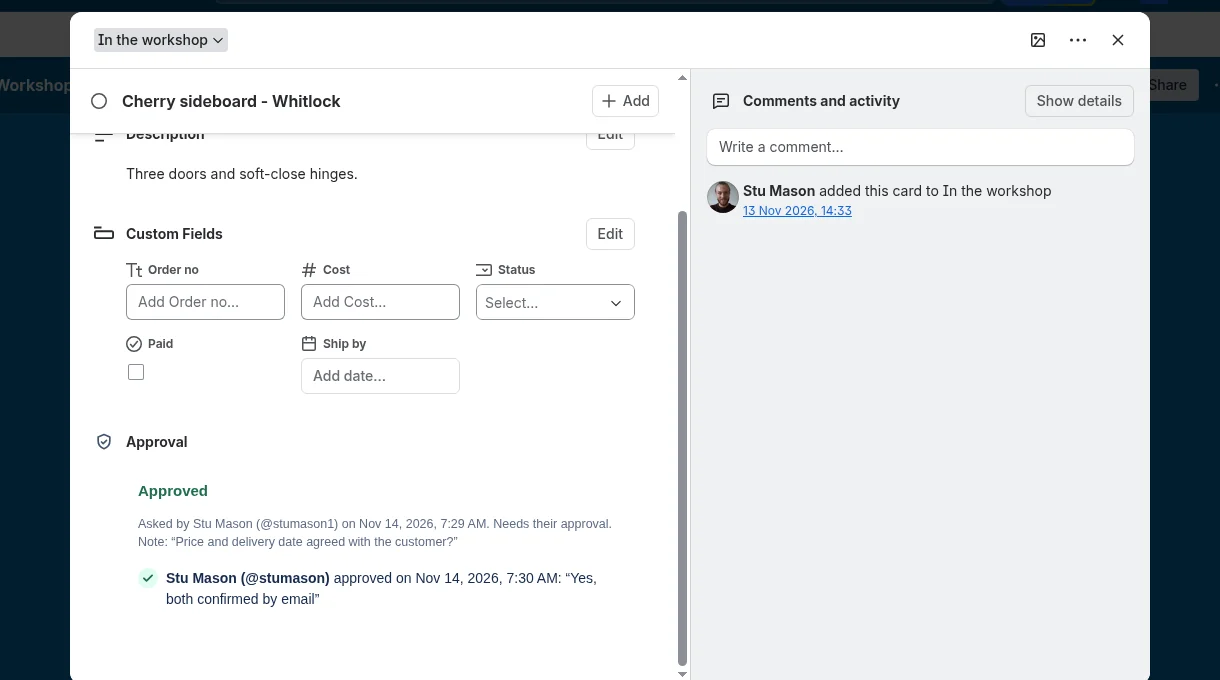
Every request and every decision is signed with who made it and when, and checked each time it is shown. One that has been altered, or copied from another card, shows as not verified.
Tells you if the card changed afterwards
If the title or description is edited after approval was asked for, the card says "Approved, edited since", so nobody approves one thing and ships another.
One list of what is waiting on you
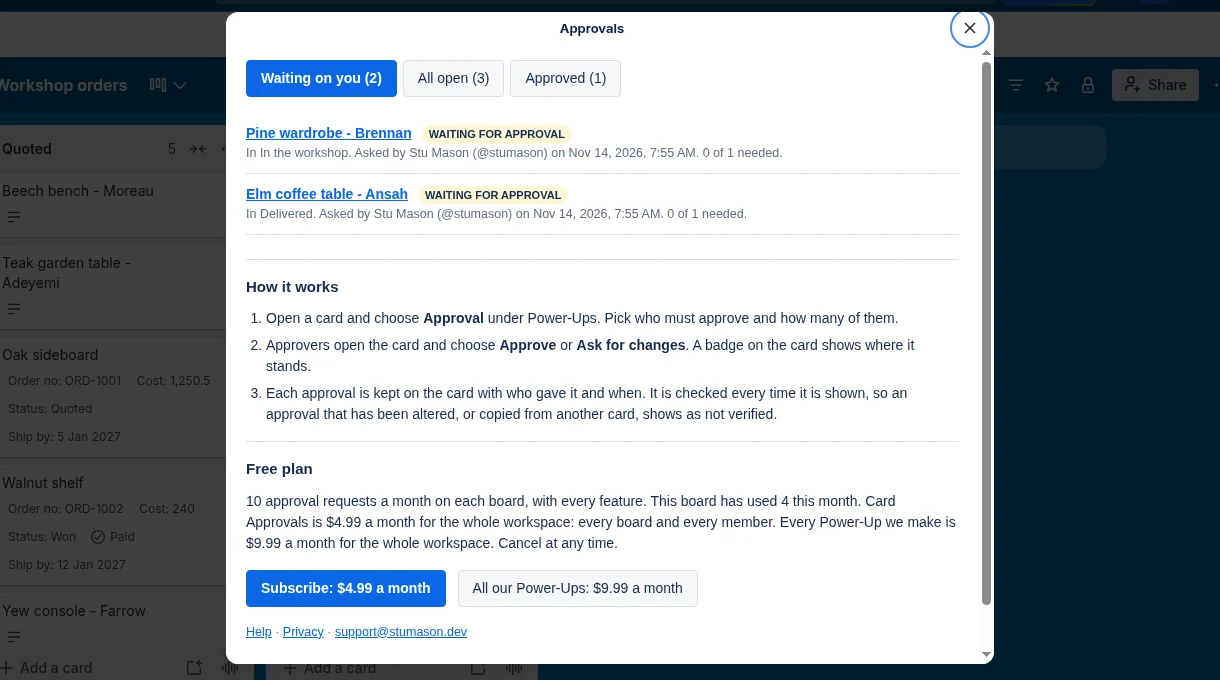
The Approvals button at the top of the board lists every card waiting for you, everything still open, and everything approved.
Asks for no access to your account
It needs no permission prompt and cannot read your other boards. The approval is kept on the card itself, in Trello.
How it works
Ask, decide, and see where everything stands
Ask for approval
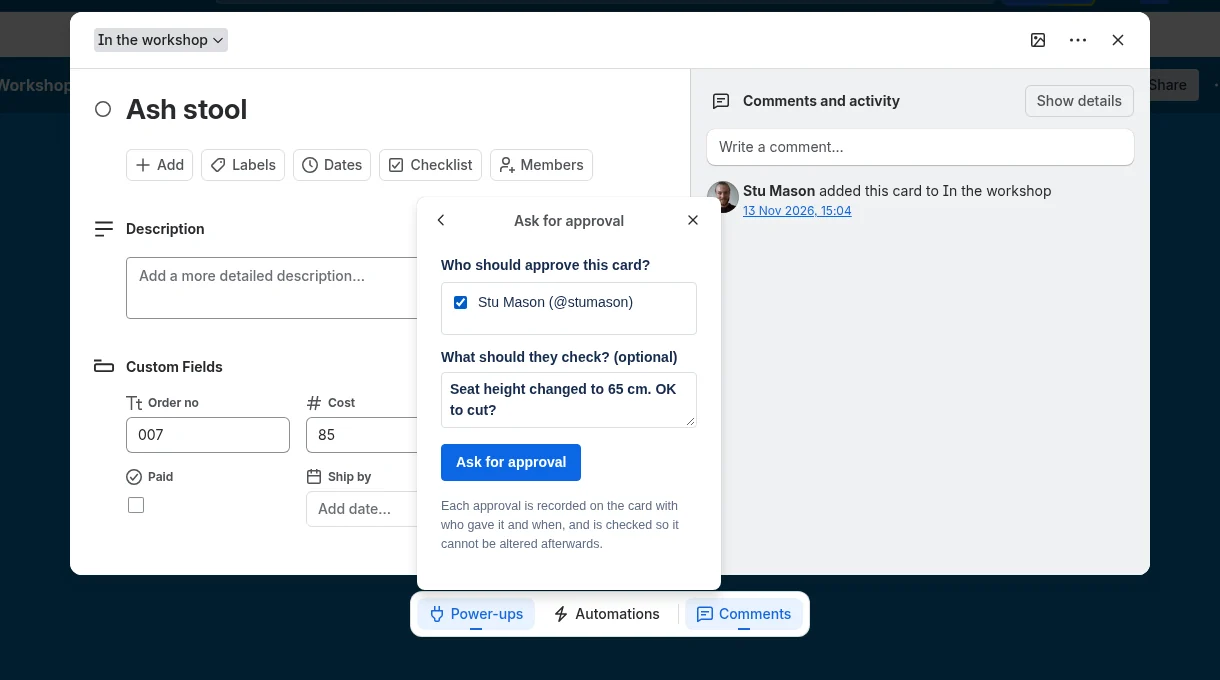
Open a card and choose Approval under Power-Ups. Pick who must approve, how many of them are enough, and add a note saying what to check.
Approvers decide on the card
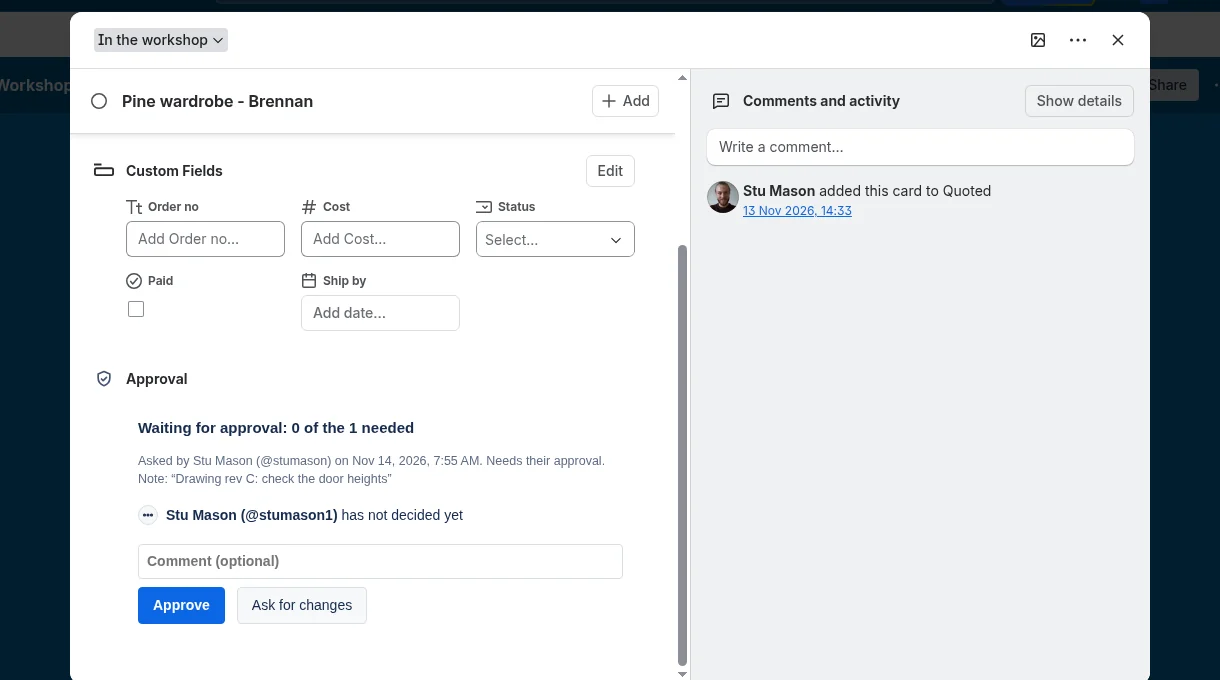
Each approver opens the card and chooses Approve or Ask for changes, with a comment if they like. The card records who decided, what, and when.
See it on the board
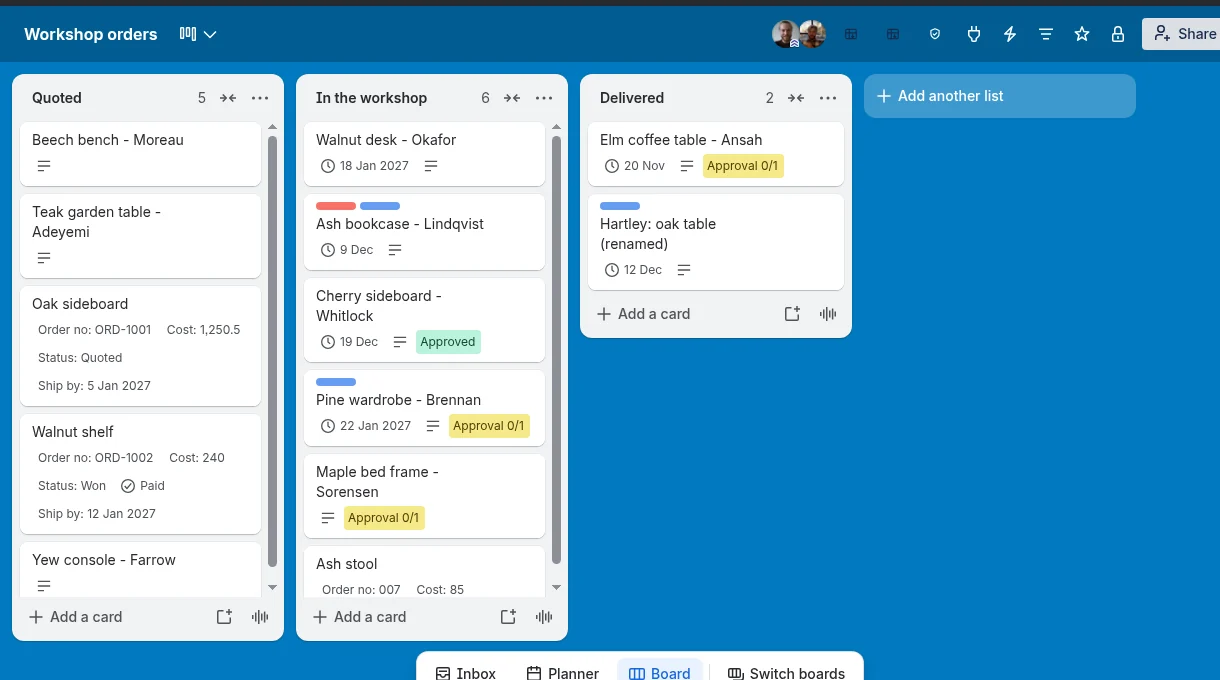
A badge on each card shows where it stands: waiting, approved, changes requested, or approved and then edited.
Work through what is waiting
The Approvals button at the top of the board lists what is waiting on you, what is still open and what has been approved.
Pricing
Free to use properly. One flat price after that.
Free
$0
For boards with the occasional sign-off.
- 10 approval requests a month on each board
- As many approvers as you like
- Every feature, including the board view
Card Approvals
$4.99 a month
One price for the whole Trello workspace.
- Unlimited approval requests
- Every board in the workspace
- Every member, with no seats to count
- Cancel at any time
All our Power-Ups
$9.99 a month
Everything we make, for the whole workspace.
- Every Power-Up listed here, without limits
- Each new Power-Up as it is released
- Every board and every member
- Cancel at any time
Payment is taken by Stripe. You subscribe from inside the Power-Up, and a workspace admin can change the card, switch plan or cancel from the same place. If you cancel, it runs to the end of the month you have paid for. Prices are in US dollars.
Card Approvals is with Trello for review and will be in the Power-Up directory once it is approved. The plan covering all our Power-Ups opens the same day.
Help
What the badge on a card means
| Badge | What it means |
|---|---|
| Approval 1/2 (yellow) | Waiting. One of the two approvals needed has been given. |
| Approved (green) | Enough of the people asked have approved. |
| Approved, edited since (orange) | It was approved, and the title or description has been changed since approval was asked for. Open the card to see who approved and when, then decide whether to ask again. |
| Changes requested (red) | So many of the people asked have chosen Ask for changes that the number needed can no longer be reached. |
| Approval not verified (red) | The record on the card does not check out. The usual cause is a card copied from an approved one, or moved to another board. Open the card, choose Approval, then Clear and ask again. |
Up to 20 approvers on a request. To start again on a card, choose Approval, then Withdraw this request or Clear and ask again.
Questions
Good to know
How do approvers find out?
The card shows a yellow Approval badge on the board, and the Approvals button at the top of the board lists everything waiting on them. Trello does not let a Power-Up send its own notifications, so mention the approver in a comment or add them to the card if you want Trello to notify them.
Who can approve?
Any board member you pick, apart from yourself. Observers cannot approve, because Trello does not let observers change a card.
Can someone change their mind?
Yes. An approver can switch between Approve and Ask for changes; the latest decision counts and its time is recorded.
Can an approval be removed?
Anyone who can edit the card can withdraw the request, just as they could archive the card. What nobody can do is make a card look approved by someone who did not approve it.
What happens when a card is copied or moved to another board?
The copy carries the old record, but it was signed for the original card on the original board, so it shows as not verified. Ask for approval again on the new card.
What exactly is checked?
When you ask or decide, Trello signs a short statement of who you are and what you chose. Our signing service checks Trello's signature and countersigns it. Every time the card is shown, that signature is checked in your browser against our public key. Changing the approver list, the number needed, the note, a decision or a comment breaks the signature.
Where is the approval kept, and what do you see of it?
On the card, in Trello, as Power-Up data. To be signed, the statement passes through our server: the board, card and member ids, the approver ids, and the note or comment you typed. It is signed and sent straight back. None of it is stored or logged. Card titles, descriptions, attachments and the rest of your board are never sent to us.
Does it work on a free Trello plan?
Yes.
How do I cancel?
A workspace admin opens Approvals from the top of the board and chooses "Manage or cancel". The subscription runs to the end of the month already paid for.
Something else? Write to support@stumason.dev.