Request Forms for Trello
A form on the outside, a card on your board
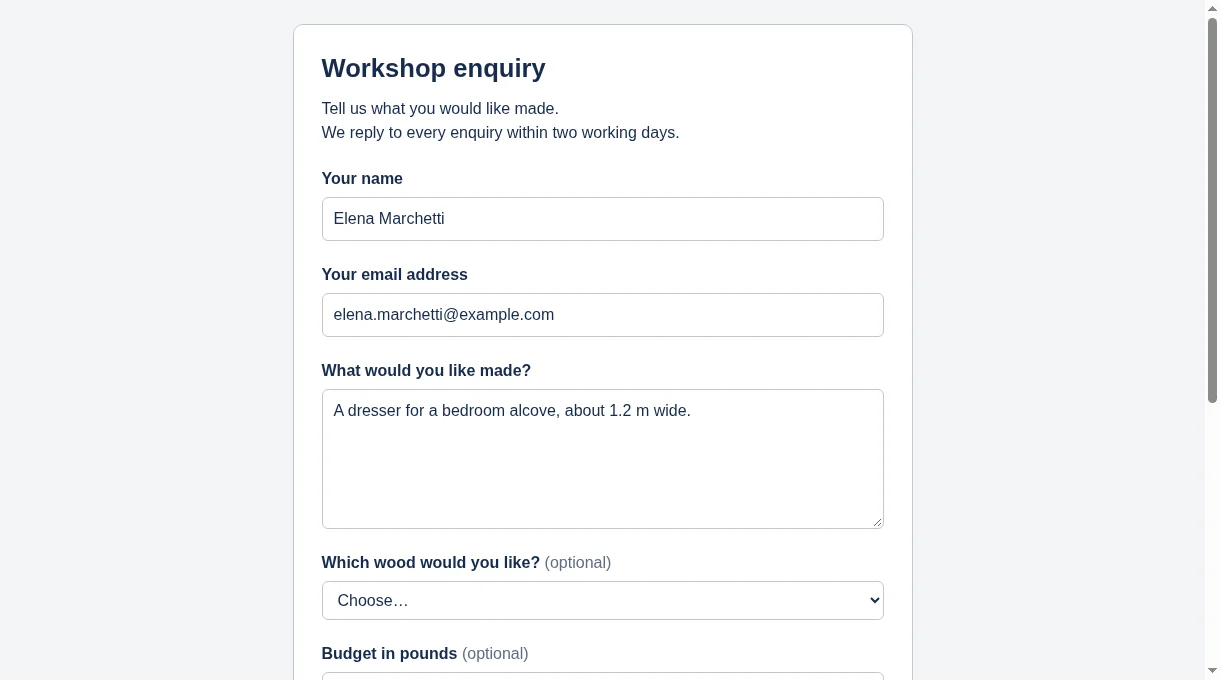
Build a form inside Trello and share its link. Every response arrives as a card in the list you chose, with labels, a due date and custom fields already filled in.
Request Forms is new and on its way into the Trello Power-Up directory, where Trello checks each Power-Up before listing it.
- Free for 25 responses a month
- No Trello account needed to fill it in
- Responses are not stored by us
Why it exists
Requests arrive everywhere except your board
Email, chat, phone. Someone copies each one into Trello by hand, and details get lost on the way. A form asks the right questions once and puts the answer where the work happens.
A form anyone can fill in
Share a link, or embed the form in your own website. The people filling it in do not need a Trello account and never see your board.
Each response is a finished card
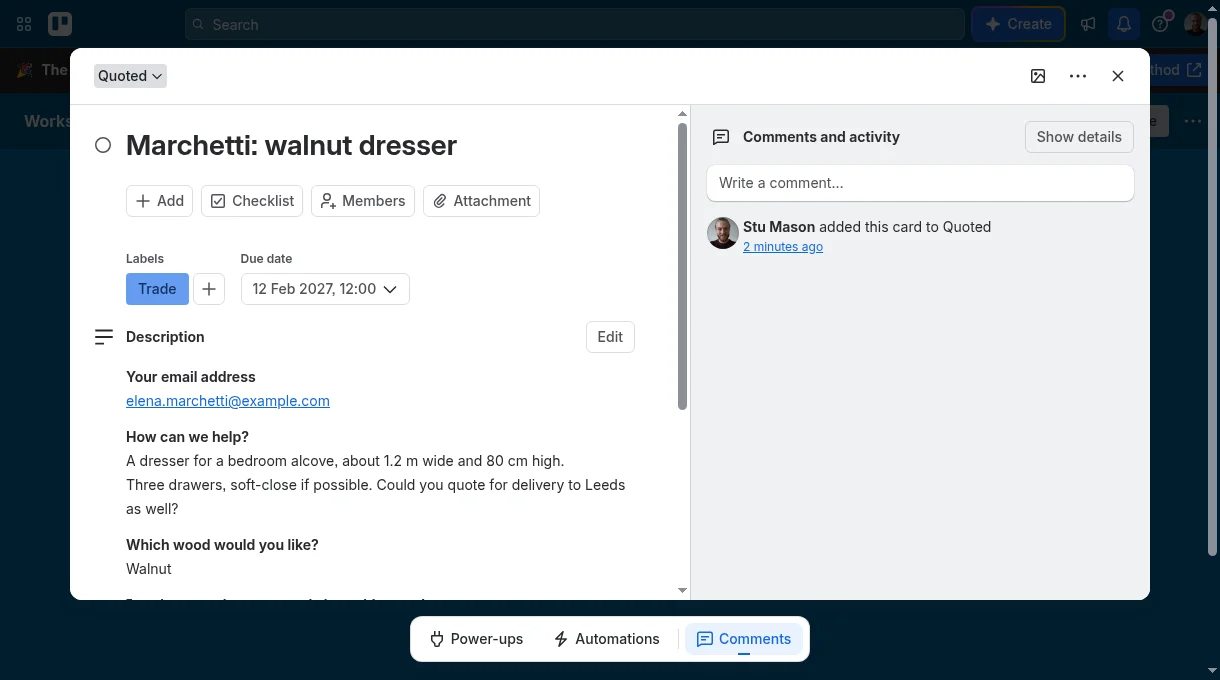
It lands at the top of the list you chose, with your labels and members on it, a due date if you asked for one, and answers in your custom fields.
Responses are not kept by us
Each response goes straight to Trello as a card and is gone from our server. There is no second copy of your enquiries sitting anywhere else.
Your permission is locked away
A form needs standing permission to add cards. It is encrypted on our server, never sent back to any browser, and Disconnect withdraws it at Trello itself.
Built to keep rubbish out
Every form has a check that the sender is a person, and limits on how fast responses can arrive. Answers are added as plain text, so nobody can plant links or pictures in your cards.
One response, one card
If the connection drops and someone presses Send twice, you still get one card. If Trello is unreachable they are asked to try again, and nothing is lost.
How it works
Connect, build, share
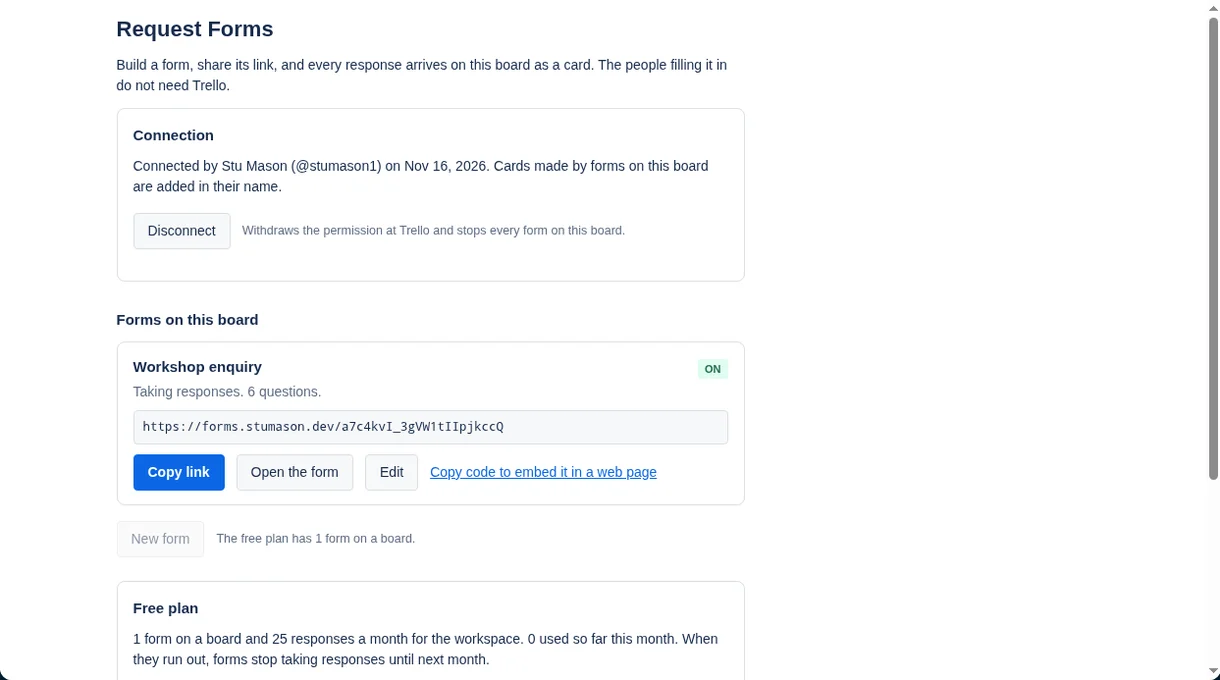
Connect the board
Open Forms from the top of your board and choose Connect. Trello asks you to allow it once. From then on the window shows who connected the board, and a Disconnect button that withdraws the permission at Trello.
Build the form
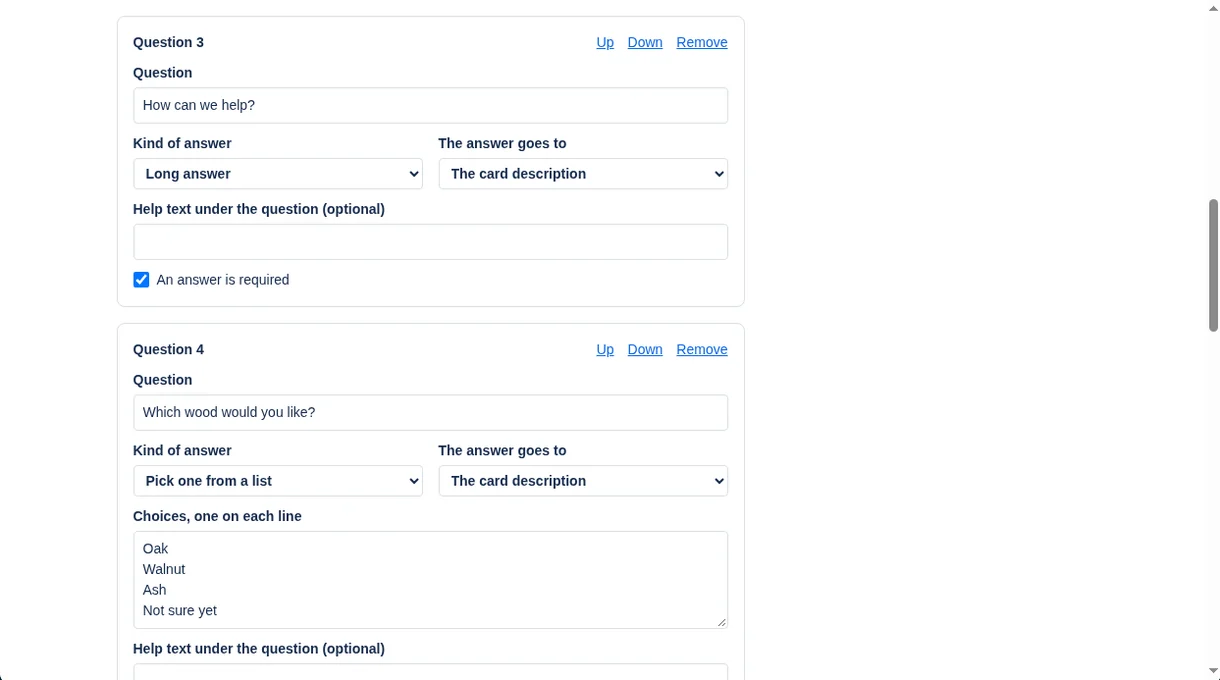
Write your questions, choose the kind of answer for each, and say where it goes on the card: the title, the description, the due date or a custom field. Pick the list, labels and members for new cards.
Share the link
Copy the link into an email, a chat or your website, or embed the form in a page. It works on a phone, in light or dark, and needs no account.
Work the cards
Each response appears at the top of your list, ready to assign and move. Because it is an ordinary card, Trello's own automation and notifications work on it.
Pricing
Free to use properly. One flat price after that.
Free
$0
For one form with light use.
- 1 form on each board
- 25 responses a month for the workspace
- Every question type, custom fields and embedding
Request Forms
$4.99 a month
One price for the whole Trello workspace.
- As many forms as you like
- Unlimited responses
- No "Made with Request Forms" line under your forms
- Every board in the workspace
- Every member, with no seats to count
- Cancel at any time
All our Power-Ups
$9.99 a month
Everything we make, for the whole workspace.
- Every Power-Up listed here, without limits
- Each new Power-Up as it is released
- Every board and every member
- Cancel at any time
Payment is taken by Stripe. You subscribe from inside the Power-Up, and a workspace admin can change the card, switch plan or cancel from the same place. If you cancel, it runs to the end of the month you have paid for. Prices are in US dollars.
Card Approvals is with Trello for review and will be in the Power-Up directory once it is approved. The plan covering all our Power-Ups opens the same day.
Questions
Good to know
Do the people filling in the form need Trello?
No. They open a link, answer and press Send. They never see your board.
What can I ask?
Short answers, long answers, email addresses, numbers, dates, a pick-one list and tick boxes. Any question can be required. A form can have up to 30 questions.
Where do the answers go on the card?
You choose for each question: the card title, the description, the due date (for a date), or one of the board's custom fields. A pick-one question can fill a dropdown custom field, using that field's own options.
Can I put the form on my own website?
Yes. Each form has a "Copy code to embed it" button that gives you a snippet to paste into a web page. You can also simply link to it.
Why does it need permission, and what can it do with it?
A form adds cards while nobody is at Trello, so one board member has to give standing permission. Trello only offers permission for all the boards that member can edit. Request Forms uses it for one thing: adding a card to the board the form belongs to. A form can only point at lists, labels, members and custom fields of its own board, and that is checked on our server each time a form is saved.
How is that permission protected?
It goes from Trello to our server once and is never kept in a browser. On the server it is encrypted and tied to that one board and member. It is never sent back out. Disconnect withdraws it at Trello, not just on our side, and if you revoke it in Trello's own settings we delete our copy.
Whose name is on the cards?
The member who connected the board. Trello records them as the one who added each card.
Do you keep the responses?
No. A response is checked, sent to Trello as a card and not stored or logged by us. For one day we keep a scrambled marker for each submission, which holds nothing from the answers, so that sending twice cannot make two cards.
How is spam handled?
Each form has a check that the sender is a person (Cloudflare Turnstile, which usually needs no puzzle), a hidden trap for simple programs, and limits on how many responses a form or a sender can submit in a minute.
What must I not use it for?
Do not ask for passwords, payment card numbers or anything else that should not sit on a Trello card, and do not pretend to be someone you are not. Every form carries a "Report this form" link, and forms that break these rules are removed.
What happens when the free responses run out?
The form shows a short "not taking responses at the moment" message until the next month starts or the workspace subscribes. The forms window in Trello shows how many have been used.
What if I change or archive the list?
If Trello refuses a card, for example because the list was archived, the form stops taking responses and the forms window tells you. Open the form, choose a list and save.
Does it work on a free Trello plan?
Yes. Custom fields need a Trello plan that has them.
How do I cancel?
A workspace admin opens Forms from the top of the board and chooses "Manage or cancel". The subscription runs to the end of the month already paid for.
Something else? Write to support@stumason.dev.